Automating DNS with Pulumi + Cloudflare: YAML-Driven Simplicity
Declarative DNS Management for the Cloud-Native Age

Managing DNS records manually is error-prone, tedious, and just not scalable. That’s why we built Cloudflare DNS Record Management with Pulumi — a lightweight infrastructure-as-code (IaC) solution that allows you to declaratively manage your DNS records using YAML, powered by Pulumi and Cloudflare.
🔧 What Is This Project?
This project automates the creation and maintenance of DNS A and CNAME records in Cloudflare, all defined through clean YAML configuration files. It uses Pulumi (Python) to orchestrate infrastructure and integrates seamlessly with GitLab CI/CD.
No more logging into Cloudflare’s dashboard for routine DNS tweaks.
✨ Key Features
- 🚀 Declarative Management: Define DNS records in simple YAML files (
arecord.yaml,cname.yaml) - 🔁 Idempotent Logic: Already-existing records? Skipped cleanly.
- 🧠 Intelligent Checks: Avoid duplicates and configuration errors
- ⚙️ CI/CD Friendly: Out-of-the-box GitLab pipeline integration
- 🔐 Cloudflare Secure: Built on official Cloudflare Pulumi provider
- 📢 Transparent Output: Record creation stats reported at the end
📁 Project Layout
cloudflare-dns-record/
├── Pulumi.yaml          # Pulumi project metadata
├── __main__.py          # Python code for resource creation
├── requirements.txt     # Dependencies
├── resources/
│   ├── arecord.yaml     # A record entries
│   └── cname.yaml       # CNAME entries
└── .gitlab-ci.yml       # CI/CD pipeline config
⚙️ Getting Started
1. Install Prerequisites
- Python 3.7+
- Pulumi CLI
- Cloudflare account (API token)
- GitLab account (optional for pipeline)
2. Setup Your Environment
Install dependencies:
pip install -r requirements.txt
Add your DNS entries:
# resources/arecord.yaml
- name: "example.com"
  content: "192.0.2.1"
  type: "A"
  proxied: true
# resources/cname.yaml
- name: "www.example.com"
  content: "example.com"
  type: "CNAME"
  proxied: true
🚀 How to Deploy
Option A: Manual (Local)
pulumi up --stack dev
Option B: GitLab CI/CD
The .gitlab-ci.yml automates:
- Validation & linting
- YAML file presence checks
pulumi preview- Deployment to Cloudflare
🛡️ Error Handling You Can Trust
| Issue | Handled? | Notes |
|---|---|---|
| Record already exists | ✅ | Skips creation |
| YAML file missing | ✅ | Logs a warning |
| API timeout | ✅ | Retries automatically |
| Invalid config | ✅ | Clear, readable errors |
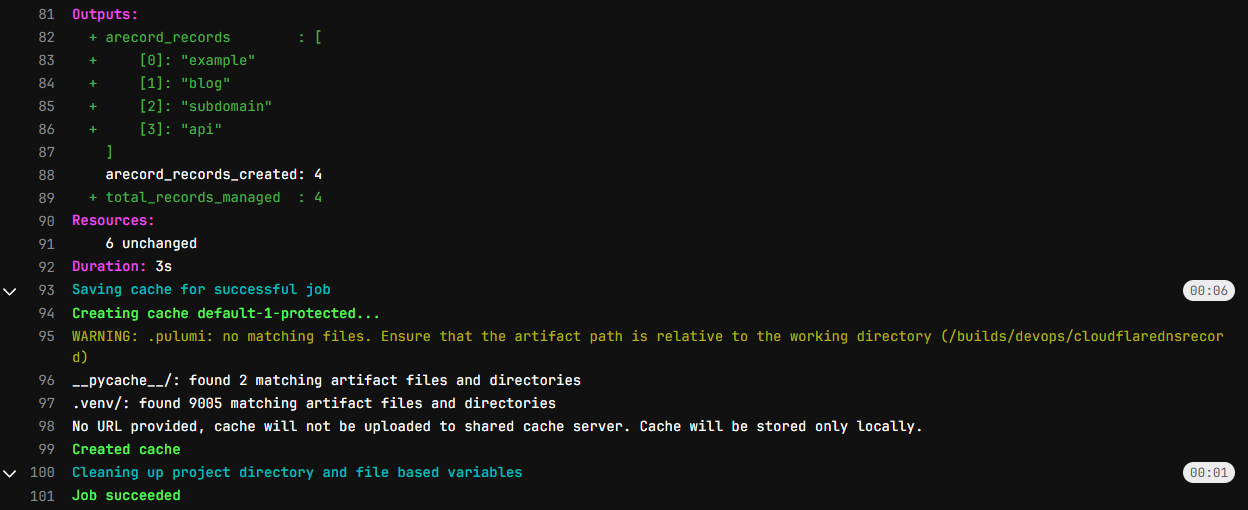
📊 Sample Output
Outputs:
    arecord_records_created: 2
    cname_records_created : 1
Simple. Transparent. Trackable.
✅ Best Practices
- Commit YAML configs for traceability
- Preview before applying with
pulumi preview - Export DNS as backup before rollout
- Use minimal API scopes for Cloudflare tokens
🧩 Troubleshooting
| Problem | Solution |
|---|---|
Record already exists |
Expected – it's idempotent |
Missing YAML file |
Add it under resources/ or remove reference |
API timeout |
Handled automatically, but check internet/API limits |
Invalid YAML |
Validate YAML format and required fields |
📝 License
Open-sourced under MIT License. Modify freely and deploy confidently.
🔗 Bonus
If you're looking to go further:
- Add MX or TXT record support
- Hook it into a DNS zone backup pipeline
- Integrate it with Slack for deploy summaries
Ready to version-control your DNS?
👉 Clone the project repo and try pulumi up.
 navinku